


Download Telegram – Fast, Secure Messaging App for Windows, macOS, Android & iOS
Overview
Telegram has become the go‑to alternative for users who value speed, privacy, and a feature‑rich messaging experience. Launched years before WhatsApp introduced its web client, Telegram’s cloud‑based platform lets you chat from any device without sacrificing security. Whether you’re on a desktop browser, a Windows PC, a Mac, or a mobile handset, Telegram syncs your conversations instantly, ensuring that every message, photo, video, or sticker appears in real time across all logged‑in devices.
The service is built around end‑to‑end encrypted cloud storage, meaning your data lives on Telegram’s servers in an encrypted form that only you can unlock with your credentials. While secret chats—self‑destructing conversations that never touch the cloud—are only available on the mobile app, the web version still offers robust encryption, making it a safe choice for personal and professional communication. Telegram also shines with its generous file‑size limits: you can send up to 2 GB per file, share unlimited media in batches, and enjoy near‑instant uploads thanks to its optimized data pipelines.
The platform’s commitment to never selling user data sets it apart from competitors that are tied to advertising ecosystems. In short, Telegram delivers a seamless, fast, and privacy‑focused messaging environment that works flawlessly on Windows, macOS, Android, iOS, and any modern web browser.
Key Features That Keep Telegram Ahead of the Curve
- Unlimited Cloud‑Based Media Sharing: Send photos, videos, documents, and ZIP files up to 2 GB each without worrying about storage limits.
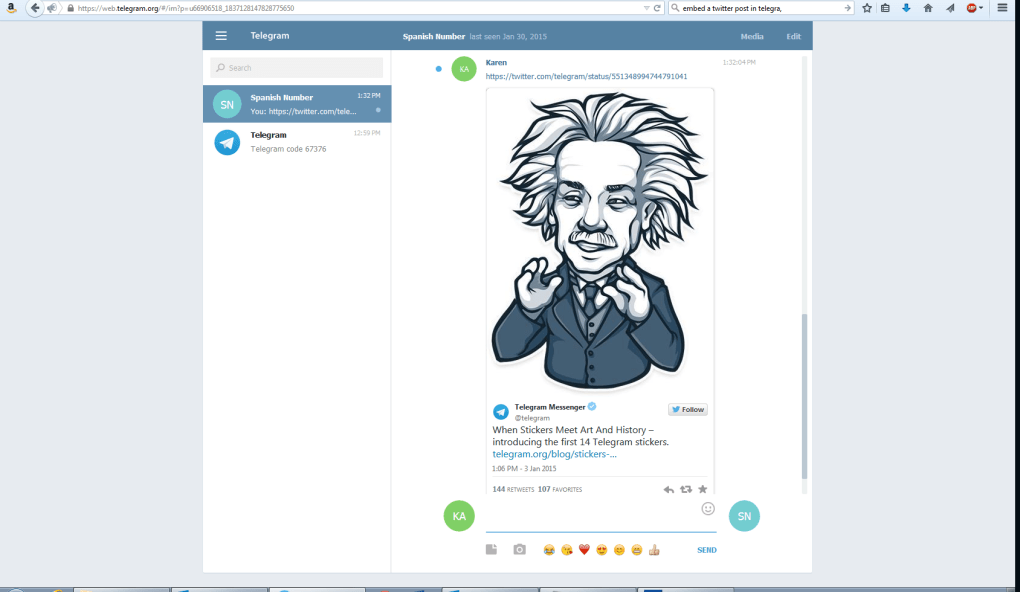
- Rich In‑App Browser: Open links from Twitter, YouTube, Instagram, Vimeo, and more directly inside Telegram, with an option to disable for external browsing.
- Real‑Time Translation: Translate whole chats or individual messages into any supported language; premium users unlock the “Translate Entire Chat” feature.
- Custom Emoji & Sticker Packs: Create animated emojis, use themed sticker sets, and organize them with the built‑in Emoji Categories tool.
- Story Functionality: Publish photos or videos that disappear after 6, 12, 24, or 48 hours, with custom audience lists for precise control.
- Data‑Usage Dashboard: Monitor Wi‑Fi vs. mobile data consumption via a detailed pie chart and adjust auto‑download thresholds.
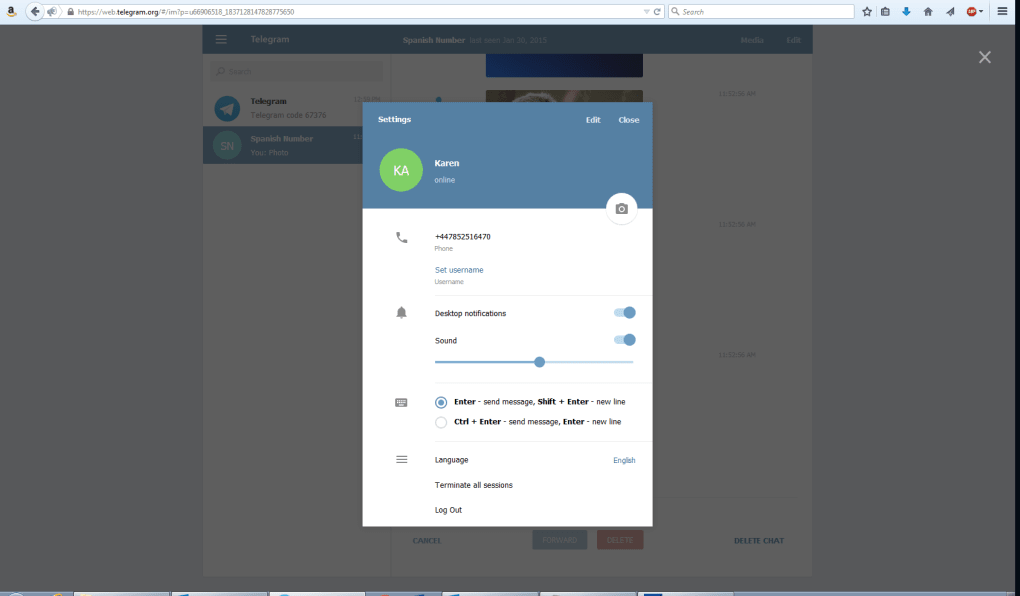
- Advanced Notification Controls: Mute individual contacts or groups, set custom sound alerts, and configure silent periods per chat.
- Profile Photo Maker: Turn any sticker or animated emoji into a dynamic profile picture without leaving the app.
- Group & Channel Management: Host up to 200,000 members per channel, schedule posts, and assign admin rights with granular permissions.
- Cross‑Platform Sync: Messages read on one device are marked as read on all others, eliminating duplicate notifications.
Installation, Setup & Compatibility – Getting Started on Any Device
To begin using Telegram, you first need an account on the mobile app—available for Android, iOS, and Windows Phone. After verifying your phone number, the web client automatically links to your account, so there’s no separate sign‑up process for desktop users. Download the desktop client for Windows or macOS from the official Telegram website, or simply navigate to web.telegram.org for the browser‑based version. The installation wizard on Windows and macOS is straightforward: download the installer, run it, and follow the on‑screen prompts to place a shortcut on your desktop. On Linux, a snap package or flatpak is available, and for Chromebook users the Android app runs seamlessly.
Once installed, launch Telegram and scan the QR code displayed on your screen with the mobile app (Settings → Devices → Scan QR). This instantly logs you in, synchronizing all your chats, contacts, and media. For users who prefer a purely web experience, the QR scan is optional—simply enter the verification code sent via SMS to complete the login.
Compatibility (itemprop="operatingSystem"): Telegram supports Windows 10/11, macOS 10.15 and later, Linux distributions (Ubuntu, Fedora, Arch), Android 5.0 and above, iOS 11 and later, as well as any modern browser (Chrome, Edge, Firefox, Safari). The app automatically updates in the background, ensuring you always have the latest security patches and feature releases without manual intervention.
Pros & Cons, Frequently Asked Questions, and Final Verdict
Pros
- Blazing‑fast media upload and sync across devices.
- Strong encryption with a clear privacy policy that never sells data.
- Generous file size limits (up to 2 GB per file).
- Rich set of customization tools—stickers, emojis, stories, and profile photo maker.
- Cross‑platform availability, including a fully functional web client.
Cons
- Secret chats (self‑destructing, fully end‑to‑end encrypted) are not available on the web version.
- Voice and video calling are still limited to the mobile apps.
- Some advanced features, like “Translate Entire Chat,” require a premium subscription.
- Occasional UI inconsistencies between desktop and mobile versions.
Frequently Asked Questions
Is Telegram free to use?
Yes, Telegram is completely free. All core features—including unlimited messaging, file sharing, and group chats—are available at no cost. Optional premium plans unlock extra tools like larger file uploads, advanced translation, and ad‑free experiences.
How secure are my messages on Telegram?
Messages are stored in encrypted cloud servers, and only you can decrypt them with your login credentials. Secret chats, which provide end‑to‑end encryption and self‑destruct timers, are available on mobile apps. The web version uses TLS encryption for data in transit.
Can I use Telegram on multiple devices simultaneously?
Absolutely. Telegram synchronizes all chats across any number of devices—phones, tablets, desktops, and browsers—so you can pick up conversations exactly where you left off.
What is the maximum file size I can send?
Telegram allows files up to 2 GB each, which is far larger than most competing messaging apps. This makes it ideal for sharing high‑resolution videos, large PDFs, or software bundles.
Do I need a Telegram account to view stories?
Yes, stories are a native feature of the Telegram app and can only be viewed by logged‑in users. However, you can control who sees your stories by creating custom audience lists.
Conclusion & Call to Action
Telegram delivers a compelling blend of speed, security, and expansive functionality that many users find missing from other messengers. Its cross‑platform sync, generous file limits, and privacy‑first philosophy make it a strong contender for both personal chats and professional collaboration. While the absence of voice/video calls on the web client and the premium‑only features may deter some, the core experience remains free, fast, and reliable. If you’re looking for a secure alternative to WhatsApp that doesn’t compromise on features, Telegram is worth the download.
Download Telegram now and start enjoying secure, lightning‑quick messaging across all your devices.



.png)



